

While GitHub is an incredible platform for version control, relying entirely on cloud-hosted repositories can introduce risks. Outages, API rate limits, or losing access to an account can bring your CI/CD pipelines to a sudden halt.
To build a more resilient workflow, I wanted a way to automatically mirror all my GitHub repositories to my self-hosted Gitea instance. This approach ensures I always have a local backup of my source code, speeds up clone operations for my local infrastructure, and gives me a true decoupled design.
In this article, I want to share my approach to fully automating this mirroring process without manual intervention.
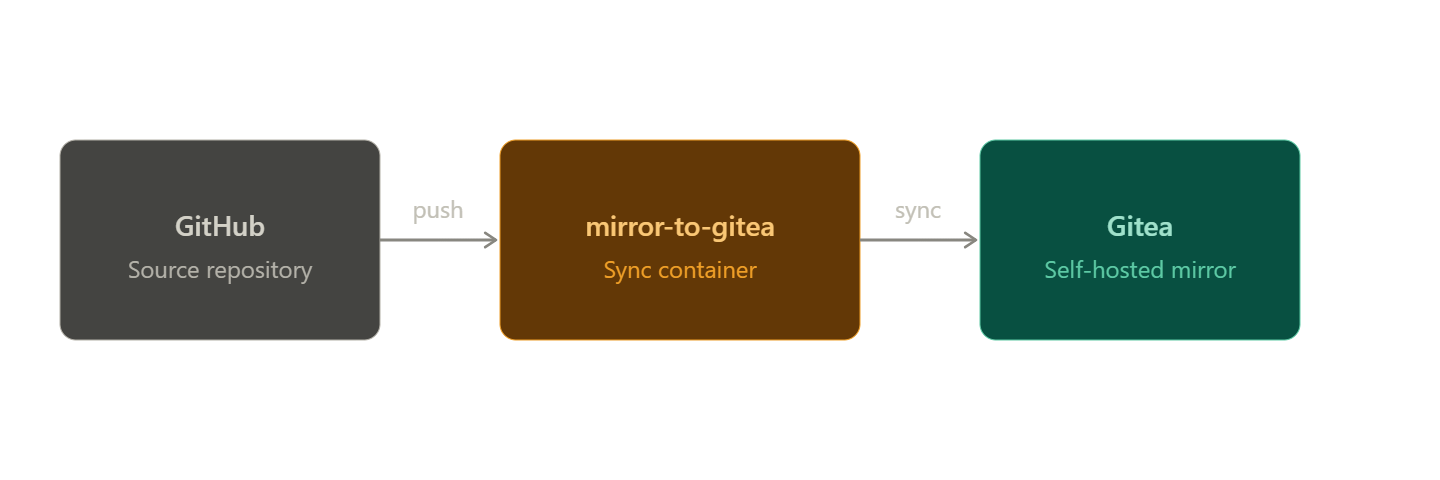
Why Mirror Your Repositories?
When we talk about mirroring, we don't just mean running a one-time git clone. A true mirror must:
- Stay Synchronized: Continuously fetch the latest commits, branches, and tags from the upstream repository.
- Be Automatic: Detect new repositories created on GitHub and automatically back them up without requiring manual configuration.
- Handle Private Data: Securely authenticate with both platforms to clone private projects.
By setting up a local Gitea mirror, any internal services or local CI pipelines can pull directly from Gitea instead of hitting GitHub's API. This significantly reduces latency and ensures that even if your internet connection goes down, your local deployments keep running.
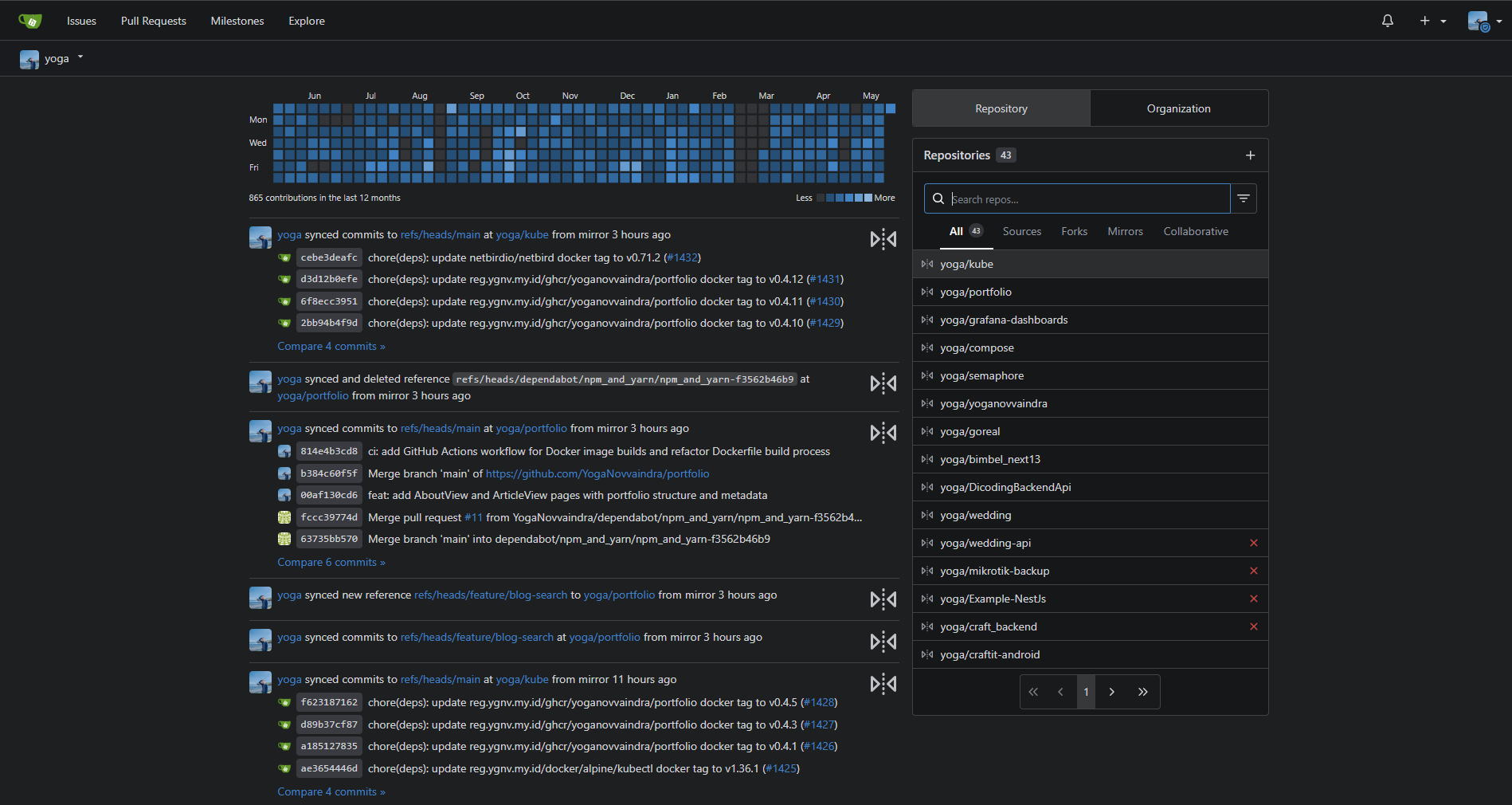
The Tooling: mirror-to-gitea
Instead of writing custom bash scripts with cron jobs to iterate over repositories, I use an open-source containerized tool called mirror-to-gitea by jaedle. Huge shout-out to this repository for doing the heavy lifting so elegantly!
This lightweight utility is designed to do exactly one thing: poll a GitHub account and synchronize every repository it finds over to a Gitea instance.
How It Works
The tool runs continuously in the background (as a Docker container or in my case, a Kubernetes pod) and relies on a few straightforward environment variables to operate:
- Authentication Tokens: It requires a GitHub Personal Access Token (PAT) with repository read access, and a Gitea admin token to create and update repositories locally.
- Gitea URL: The endpoint of your target Gitea instance.
- Delay / Schedule: You can define a polling interval. I typically set mine to run every 6 hours (
DELAY="21600"), which strikes a good balance between freshness and minimal API calls. - Private Repositories: By setting
MIRROR_PRIVATE_REPOSITORIES="true", it guarantees that my private portfolio and infrastructure code are backed up securely.
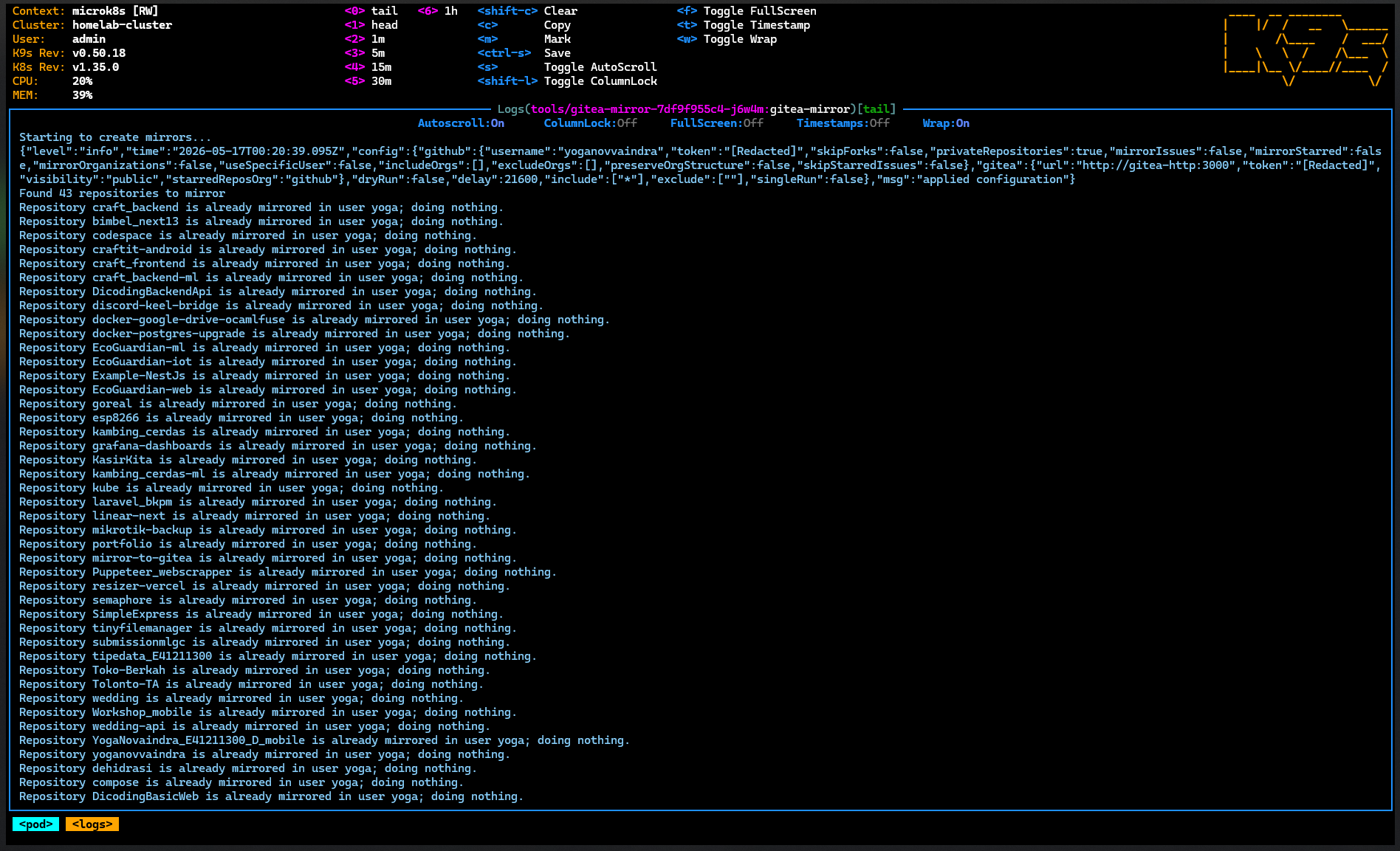
A "Set It and Forget It" Workflow
Whether you run this as a simple docker-compose stack or deploy it into a cluster, the beauty of this approach is its simplicity.
Once the container is running and authenticated, the workflow is entirely hands-off. Whenever I create a new repository on GitHub, I don't need to update any scripts or click any buttons. Within a few hours, the mirroring service automatically discovers the new project, creates the corresponding repository in Gitea, and mirrors the main branch and history.
Conclusion
Mirroring your Git repositories doesn't have to be a complex, heavy-handed operation. By utilizing an automated synchronization container, you can easily decouple your source code from a single cloud provider.
This approach has given me peace of mind knowing my codebase is consistently backed up, while simultaneously optimizing the performance of my local infrastructure deployments.
If you're curious to see exactly how I've implemented this inside my own cluster, feel free to check out my Kubernetes manifests here: YogaNovvaindra/kube/tools/git.