

Maintaining a technical portfolio is a balancing act. You want a high-performance, custom-built frontend to showcase your development skills, but you also need a frictionless way to publish deep-dive articles without redeploying your entire site every time you fix a typo.
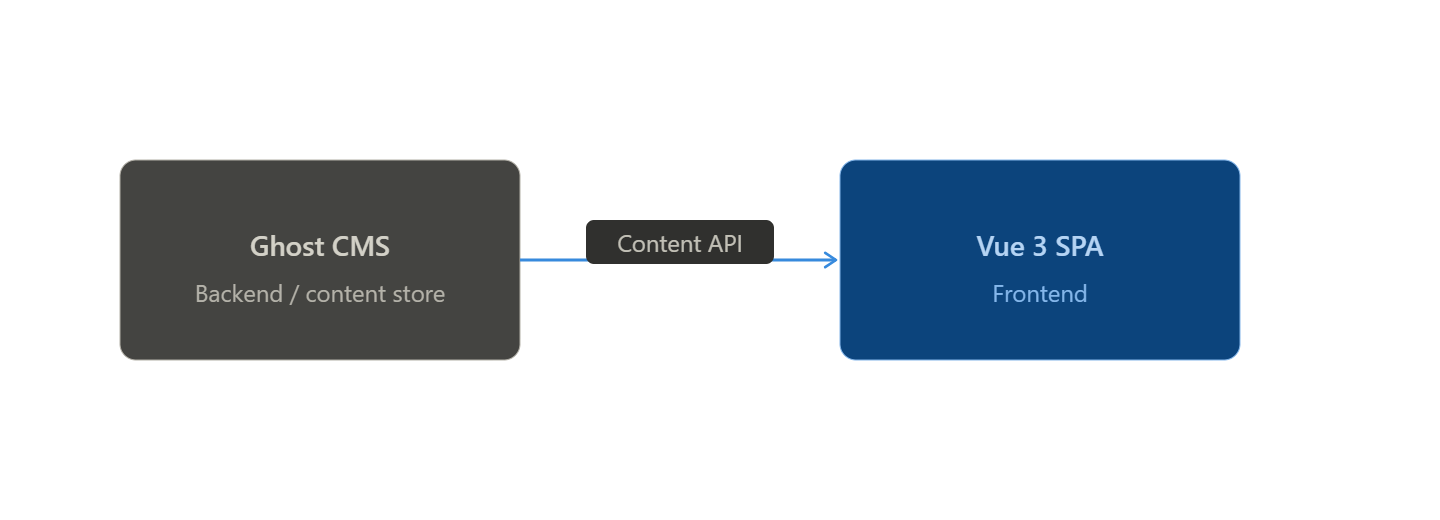
To solve this, I decoupled my content from my code. I integrated my Vue 3 portfolio with Ghost CMS acting as a headless backend. Here’s a breakdown of how I built this bridge using the Ghost Content API.
Why Ghost as a Headless CMS?
Ghost is widely known for its clean writing experience, but its real power lies in its Content API. By running Ghost in headless mode, I get the best of both worlds:
- Rich Editorial Tools: I can use the Ghost editor for markdown, code snippets, and image management.
- Total Design Control: My Vue frontend consumes the raw JSON data, allowing me to style the blog exactly like the rest of my portfolio using Tailwind CSS.
- Performance: The frontend is a lightweight SPA that only fetches the data it needs, resulting in near-instant page transitions.
The Integration Architecture
The architecture is straightforward: Ghost hosts the content, and a dedicated service in Vue handles the communication.
1. The API Service Layer
I created a ghost.js service using Axios to interface with the Ghost Content API. This keeps the API logic centralized and easy to maintain.
// src/services/ghost.js
import axios from 'axios';

const GHOST_URL = process.env.VUE_APP_GHOST_URL;
const GHOST_KEY = process.env.VUE_APP_GHOST_KEY;

const api = axios.create({
  baseURL: `${GHOST_URL}/ghost/api/content`,
  params: {
    key: GHOST_KEY,
    include: 'tags,authors',
  },
});

export default {
  async getPosts(limit = 'all') {
    const response = await api.get('/posts/', { params: { limit } });
    return response.data;
  },
  async getPostBySlug(slug) {
    const response = await api.get(`/posts/slug/${slug}/`);
    return response.data;
  }
};
2. Dynamic Routing & Rendering
In Vue Router, I defined a dynamic path for articles. When a user clicks a blog post, Vue catches the slug and fetches the corresponding data.
// src/router/index.js
{
  path: '/blog/:slug',
  name: 'Article',
  component: () => import('@/views/ArticleView.vue')
}
In ArticleView.vue, I use a watch on the route to ensure that internal navigation (clicking a "More Stories" link) triggers a fresh data fetch without a page reload.
Creating a Premium Reading Experience
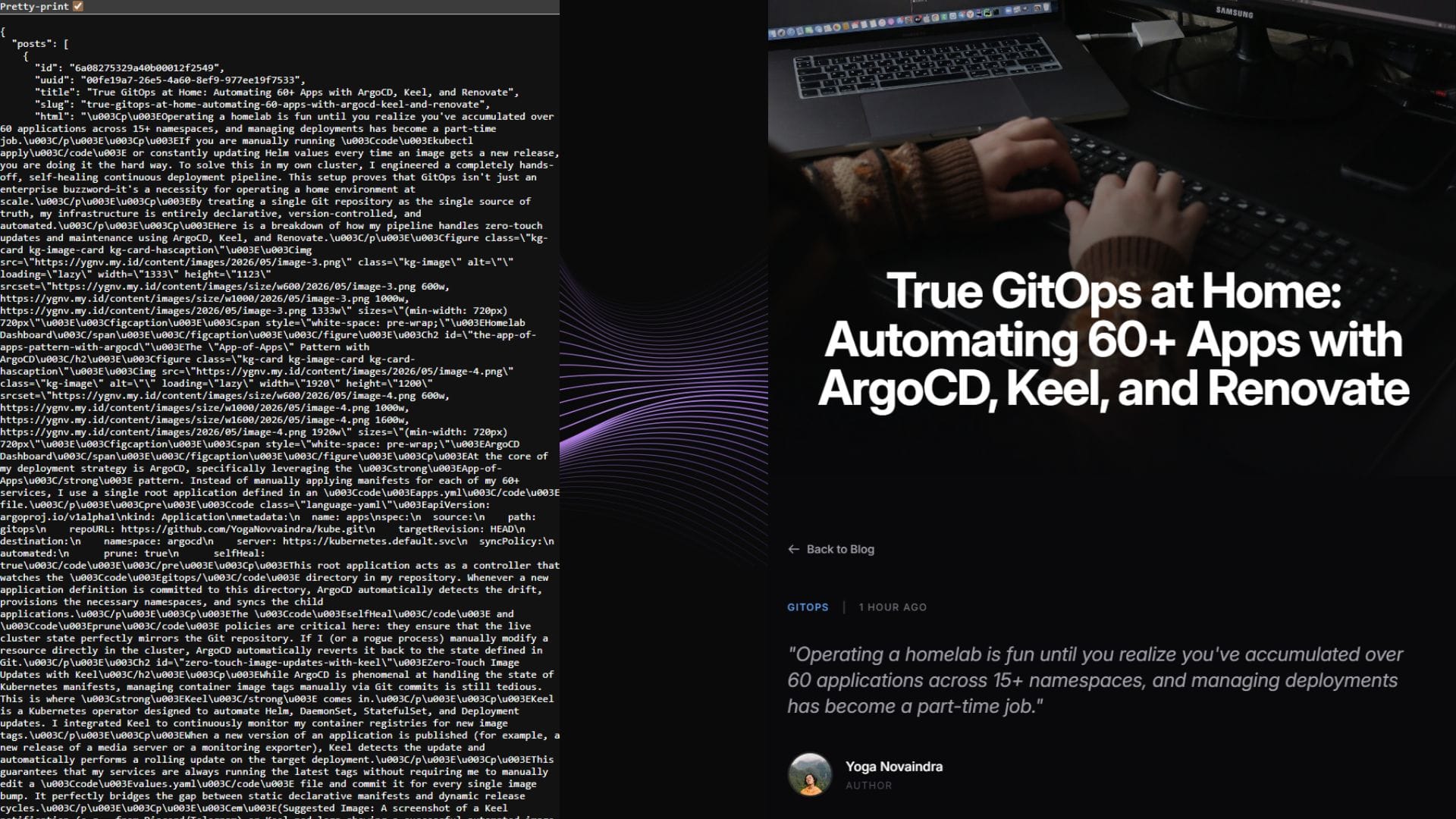
A portfolio should feel premium. Simply dumping JSON from an API isn't enough. I implemented several UI enhancements to make the reading experience feel immersive:
- Cinematic Hero Headers: Every article starts with a full-width featured image. By using
object-coverand a bottom-heavy gradient, I can overlay the title directly on the image while maintaining perfect readability. - Tailwind Typography: Ghost returns raw JSON. I used the
@tailwindcss/typographyplugin (theproseclass) and customized it to match my portfolio's dark aesthetic—ensuring code blocks, blockquotes, and headings look intentional.
- Audience Retention: To keep readers on the site, I implemented a "More from the blog" section at the bottom of every article. It dynamically suggests two other posts, filtering out the one currently being read.
The Result
This integration has transformed my workflow. I no longer treat my blog as a separate entity; it’s a fully integrated part of my professional identity.
By treating content as data, I’ve built a system that is as scalable as the infrastructure I write about. If I ever want to change my design, I only touch the Vue code. If I want to write a new article, I just hit "Publish" in Ghost.
Check out the live implementation on my Blog page, or dive into the full source code on my GitHub repository.


